Shift schedule for small businesses quickly and easily

Työvuorolista

Sign up, create a shift schedule and publish it in under five minutes!

Sign up
OR
Try demo

Creating shift schedules can be easy too

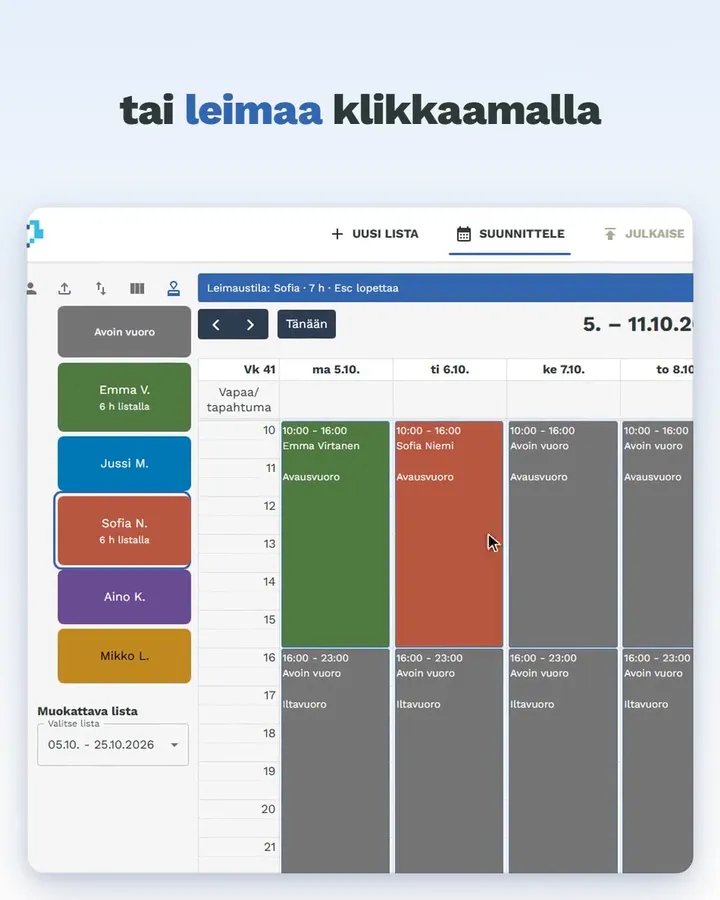
Shifts are added to the schedule by dragging employees to the right place. Publishing happens with a button press, sending the schedule to all employees by email.

2Create shift schedule
3Publish

What customers say

Laura Dahlman
"Creating shift schedules has been really easy. Employees also praise the appearance of the schedules!"
Laura Dahlman
Ravintola Apaja, Tampere
RK
"Really clear and user-friendly package for planning and distributing restaurant shifts."
"If you're still fiddling with shifts in Excel or on paper, and don't want to pay a fortune for heavy financial management software packages, now is definitely the time to try Työvuorolista. Warm recommendation."
Rami Käkönen
Ravintola Askaisten Holvi, Askainen
Anita Lindov
"Making shift schedules has become really easy, really - no unnecessary clicking! The schedules are ready quickly and they're sent to each employee's email. If help has been needed, support and advice have always been quickly available!"
Anita Lindov
Velj. Kitola Oy, Nousiainen
Sign up
1

Sign up

You can sign up with either email or your Google account. Initially we only need an email address, no other information.

Quick sign-up: you can sign up with email or Google account.

No credit card: you can try for free with up to three employees.

Easy initial setup: just add yourself as an employee and get started!

2

Plan

Adding teams and employees takes a few minutes. You can start creating your first shift schedule right away.

No unnecessary data entry: the app only asks for necessary information, essentially name and email. Nothing else.

No unnecessary clicking: shifts are added to the calendar by dragging employees to the right place. Shift length and location can also be adjusted by dragging.

Necessary additional information: you can easily add comments to shifts, e.g. "store manager".

Plan
Approve
3

Approve

Share the shift plan effortlessly and quickly with employees in your preferred channel and request feedback before publishing.

Copy image of shift schedule: you can easily paste it into a WhatsApp message.

Save image of shift schedule: you can easily attach it as an email attachment.

4

Publish

Publish the shift schedule with one click and send it automatically to employees by email.

Automated sending: when you publish the schedule, it is automatically sent to all employees on the schedule.

Personal schedule: each employee receives a personalized schedule of their own shifts.

Publish
Unlimited number of teams
5

Unlimited number of teams

Each team has its own schedules and settings, but you can share employees between teams.

Own settings: each team can have its own default times and shift lengths.

Sharing employees: employees can be in multiple teams, which facilitates shift planning for multi-location businesses.

Publishing schedules: you can publish schedules by team or all at once.

I want to ask more!

Leave your email or phone number, and I'll contact you shortly!

or

Frequently asked questions

How much does this cost?

Pricing is based on the number of employees:

  • max. 3 employees: €0 / month
  • max. 20 employees: €12 / month
  • max. 50 employees: €42 / month
  • over 50 employees: €120 / month

24% VAT is added to all prices.

Can I try without paying?

Of course! Running with less than four employees is always free!

How long do I need to commit?

Payment is handled month by month, and you can cancel your subscription at any time. No commitment periods. For example, a summer restaurant can pay for use during the summer and cancel the subscription for winter.

When can I start?

Registration and initial setup takes about 3 minutes. You can publish your first shift schedule in about 15 minutes.

Who made this?

I'm Antti Tuomola. I have over 15 years of experience in the restaurant industry as an employee, manager and entrepreneur. I've worked in neighborhood bars and Michelin restaurants, run manor restaurants and food trucks. Whatever I've done, I've always made shift schedules. Sometimes with Excel, sometimes with purpose-built software. I've never been completely satisfied with them. Hence this.

Is this difficult to use?

The entire app is built with the idea that creating shift schedules should be as easy as possible. The interface is graphical, and shifts are added by dragging employee names to the right place.

How does publishing schedules work?

When the schedule is ready to publish, you just press the Publish button, which sends an email to all employees on the schedule (and others if needed) with the employee's personal shift schedule. You can also copy an image or PDF and publish it however you want.

How does this differ from MaraPlan / Planier / HR plans / etc.?

Työvuorolista differs from other industry players in these ways:

  • Prices are publicly visible: we don't try to squeeze the maximum price from your company, but publish all prices openly.
  • You can start using Työvuorolista now, in five minutes. Publish a schedule in 15 minutes. No contact requests, quotes, demos, counter-quotes and other time-wasting.
  • Työvuorolista is so simple that you don't need training to use it. If you want, we can go through its use together, but I also trust that you can use this without hand-holding.
  • Fewer features: we focus only on creating shift schedules, publishing and recording hours. We don't offer mobile apps for your employees that they don't want. You can handle shift reporting however you see fit.

Use the app on mobile too

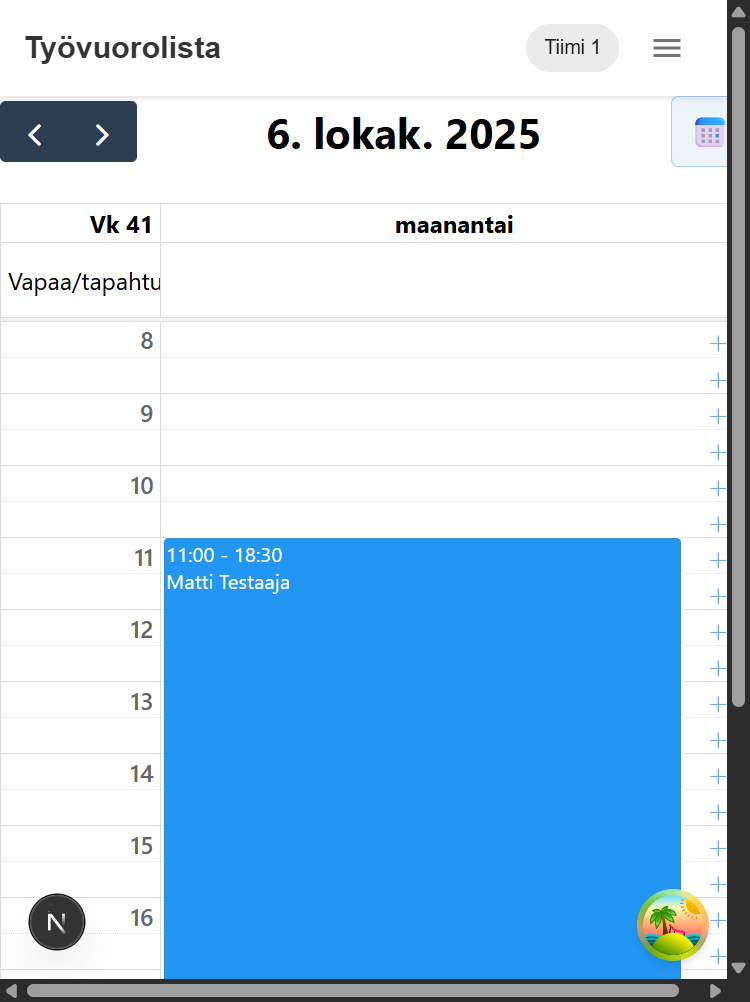
The Työvuorolista app works fully on smartphones and tablets. You can plan shifts, manage employees and record hours worked directly on your mobile device.

Planning and editing shifts
Managing employees
Recording hours worked
Publishing schedules and emailing

The interface automatically adapts to touch screens, and navigation works conveniently through a hamburger menu.

Read more about mobile